FLARE & SUNBURST · IN YOUR BROWSER
Create with
GPT Image 2.5.
Both GPT Image 2.5 models — Flare and Sunburst — in your browser, no API key, 15 free credits to start.
Begin with a prompt that already works, then make it yours.
FROM A FEW WORDS TO THISMade with GPT Image 2.5 Sunburst
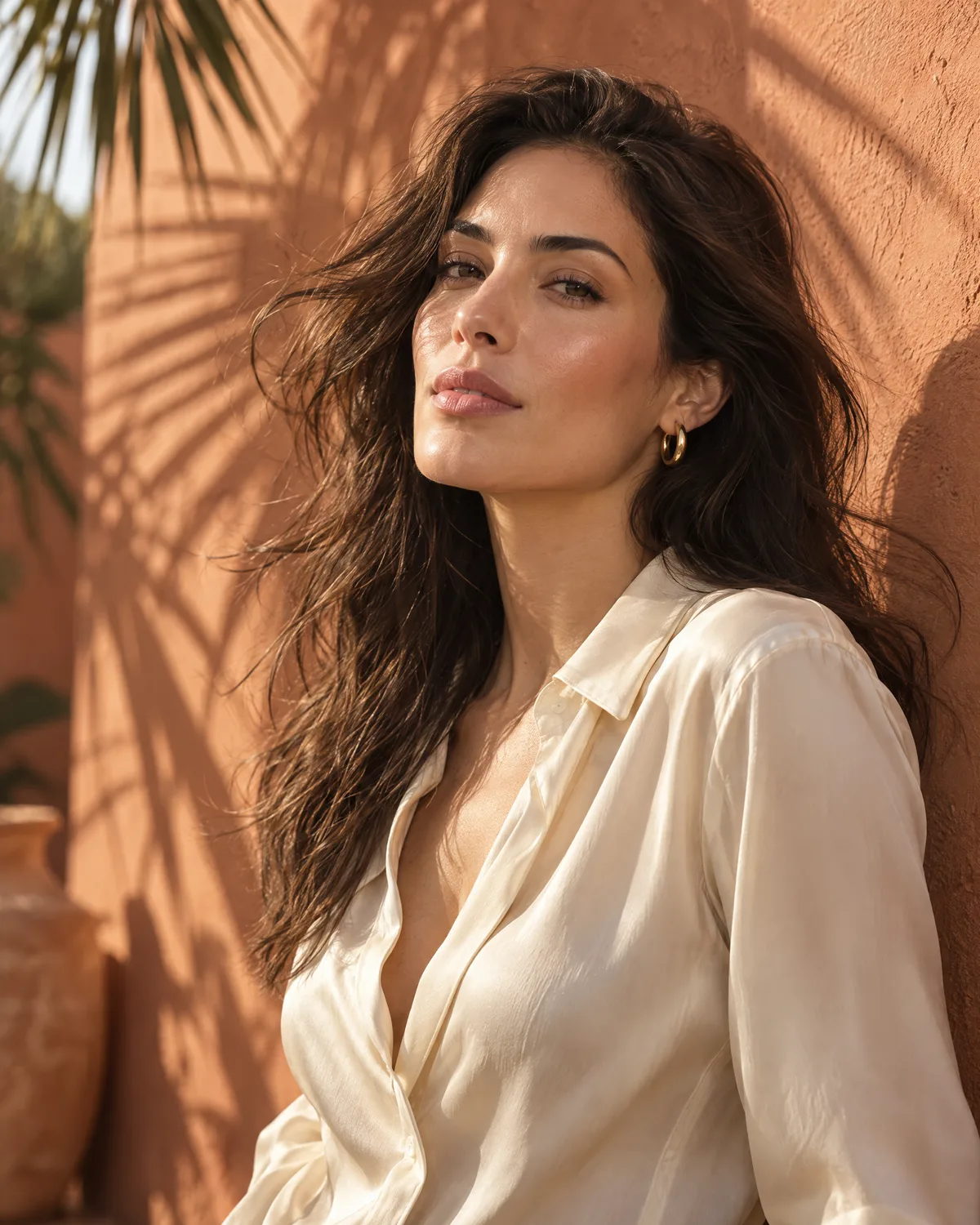
“Silk, sunlight, terracotta,
a late-afternoon editorial.”
a late-afternoon editorial.”
A SPARK TO GET YOU STARTED
Explore all prompts Good ideas start here.
Handcrafted crochet doll of subject made with
Characters & PeopleUse reference image as style guide surreal
Photography & RealismHand-drawn kindred spirits
Posters & TypographyThe art of a profile
Posters & TypographyCreate premium editorial travel poster illustration of
Posters & TypographyCreate dreamy ultra-photorealistic outdoor fashion photograph based
Photography & RealismA city beyond tomorrow
Illustration & ArtCommunity examples are inspiration, not a guarantee of identical results. Original generation settings may differ.
What GPT Image 2.5 does here
ShimmerPic runs both models OpenAI released on September 8, 2026 — Flare, the fast default, and Sunburst, the precision model — in the browser, with no API key. Write a prompt or open one of 531 community prompts, pick a ratio from 1:1 to 9:16, choose 1K to 4K, add up to three reference photos, and generate. Every result is private until you download it.
How it works
- Start from something that works. The library has 531 community prompts sorted by what they make — product shots, posters, characters, brand boards — each shown with its actual output. Open one and the text is filled in for you.
- Change what matters. Swap the product, the headline, the setting. Add a reference photo if the brief depends on a real object or person you have permission to use. The price updates as you change settings, before you generate.
- Generate, then refine. Try Flare first while you are exploring, switch to Sunburst for the version you keep, and edit any result by opening it as a reference and describing the change. Everything stays in your creations, ready to download.
What people make with it
The model is general; the prompts are not. These are the four jobs the library is deepest in, each with its own guide and starting prompts:
- Product photography — upload one photo of the product and describe the surface, the light and the camera. The product stays recognisable; the studio is rebuilt around it. Packshots, lifestyle scenes, hero crops.
- UGC-style visuals — the product in a hand, on a desk, in a car cupholder, shot like a phone photo rather than a studio. Ten variations for an ad test in an afternoon.
- Posters and flyers — quote the headline and the small print, say where each sits, and the model renders the words in the layout you describe. Event one-sheets, sale flyers, typographic prints at print resolution.
- Mockups — your logo or label as a reference, placed on a T-shirt, a box, a tote or a wall in the angle and light you ask for, without a template library.
Sizes, settings and limits
Six aspect ratios: 1:1, 4:5, 3:2, 2:3, 16:9 and 9:16. Three resolution tiers, 1K, 2K and 4K, in Standard or High quality. Up to three reference photos per image, each up to 10 MB and 4,096 px on the long side. Your prompt is submitted in full without silently cutting it. Every result is saved privately to your creations, in full resolution, and can be downloaded or opened again as a reference for the next edit.
GPT Image 2.5 Flare vs Sunburst
Same credits, different trade-off. Flare is faster; Sunburst adds detail and holds complex layouts together. We ran the same community prompts through both, one run each, and put the results side by side — see the comparison.


What an image costs
| Credits per image | 1K | 2K | 4K |
|---|---|---|---|
| Standard | 3 | 6 | 12 |
| High | 12 | 24 | 40 |
Identical for both models. Each reference photo adds 3 credits. Credits come in one-time packs from $2.99 or monthly and annual plans; see pricing. A generation that fails technically is refunded; one turned down by a content check keeps its credits. There is no unlimited tier.
Common questions
What is GPT Image 2.5?
It is the image generation and editing model OpenAI released on September 8, 2026. In the API it comes as two models, Flare and Sunburst, and ShimmerPic runs both in the browser: write a prompt, choose a size and quality, add reference photos if you need them, and generate.
Can I use GPT Image 2.5 online for free?
Every new ShimmerPic account gets 15 free credits, enough for five 1K images with a short prompt on either model. Free access includes base resolution, Standard quality and one reference image. Any purchase unlocks higher resolutions, High quality where supported and up to three references. After that you buy credits outright from $2.99 or subscribe monthly or annually. There is no unlimited plan and no per-model surcharge.
What is the difference between GPT Image 2.5 Flare and Sunburst?
Flare is the fast default with 50% lower latency than GPT Image 2. Sunburst is the precision model with longer generation times, built for polished product and campaign work. On ShimmerPic they cost the same credits, so the choice is about speed versus detail, not price.
Do I need my own OpenAI API key?
No. ShimmerPic is an independent tool that runs the model for you. You sign in with Google, use credits, and every image you make stays private in your creations until you download or share it.
Do my images stay private?
Yes. Results go to your private creations and are never added to the public library. The community gallery only shows prompts and images their authors published elsewhere. You decide what to download or share.
Can I edit an image after generating it?
Yes. Open any result as a reference and describe the change. The model follows editing instructions across multiple turns and keeps what you did not mention, which is where this generation improved most.
Where the prompts come from
The library is curated from the open awesome-gpt-image-2 collection and shows each prompt next to the image its author shared. Every card credits the author and links to the original post, and every page has a report link; if you are the author of a prompt or an image and want it removed or credited differently, use it and we act on it. The images are community examples, not a guarantee that your run will match them.
Model facts from OpenAI, "Introducing ChatGPT Images 2.5". ShimmerPic is an independent creative tool, not affiliated with OpenAI.

Make something only
you could imagine.
Start creating Start with 15 free credits. Make your first idea real.